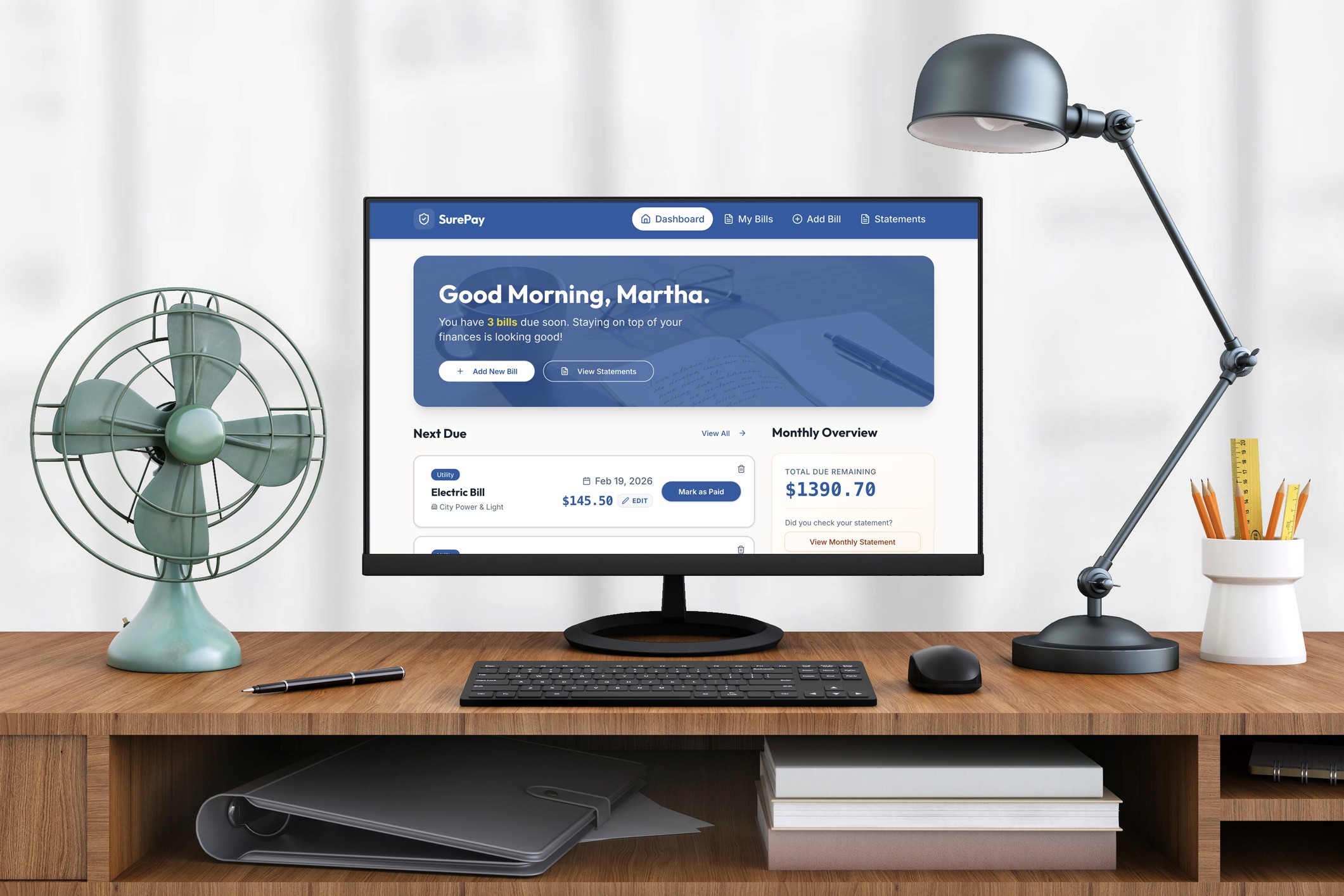
Only about 15% of people aged 65 and older are likely to use dedicated budgeting apps, while 77% prefer traditional methods like pen and paper. With rapid AI prototyping through Replit and Figma, I set out to create an experience that would help senior citizens keep track of their bills while maintaining a sense of control and security.
Year
2026
Client
SurePay
Role
Lead UI/UX Product Designer
Problem
Low Adoption Rate
Older users have not adopted budgeting apps to keep track of their bills and expenses. They opt for long manual processes that involve paper bills and calendars. Why is this? Especially with features like autopay?
Is there an app we can build that would be helpful specifically to seniors?
Research
What is Their Pen and Paper Process?
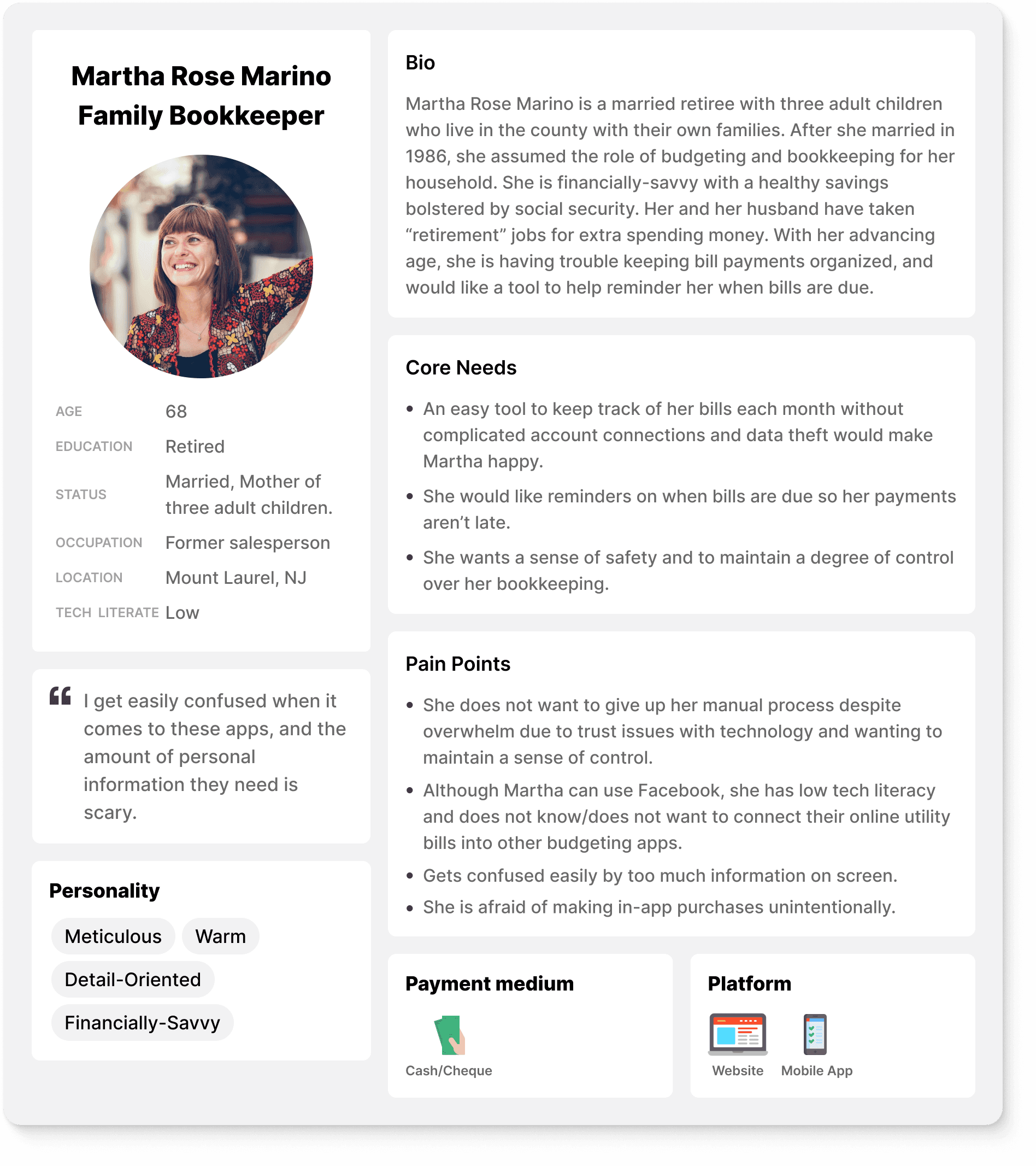
The core user group we are solving this problem for are for older users between 53-77 who use a manual way of banking and bill paying.
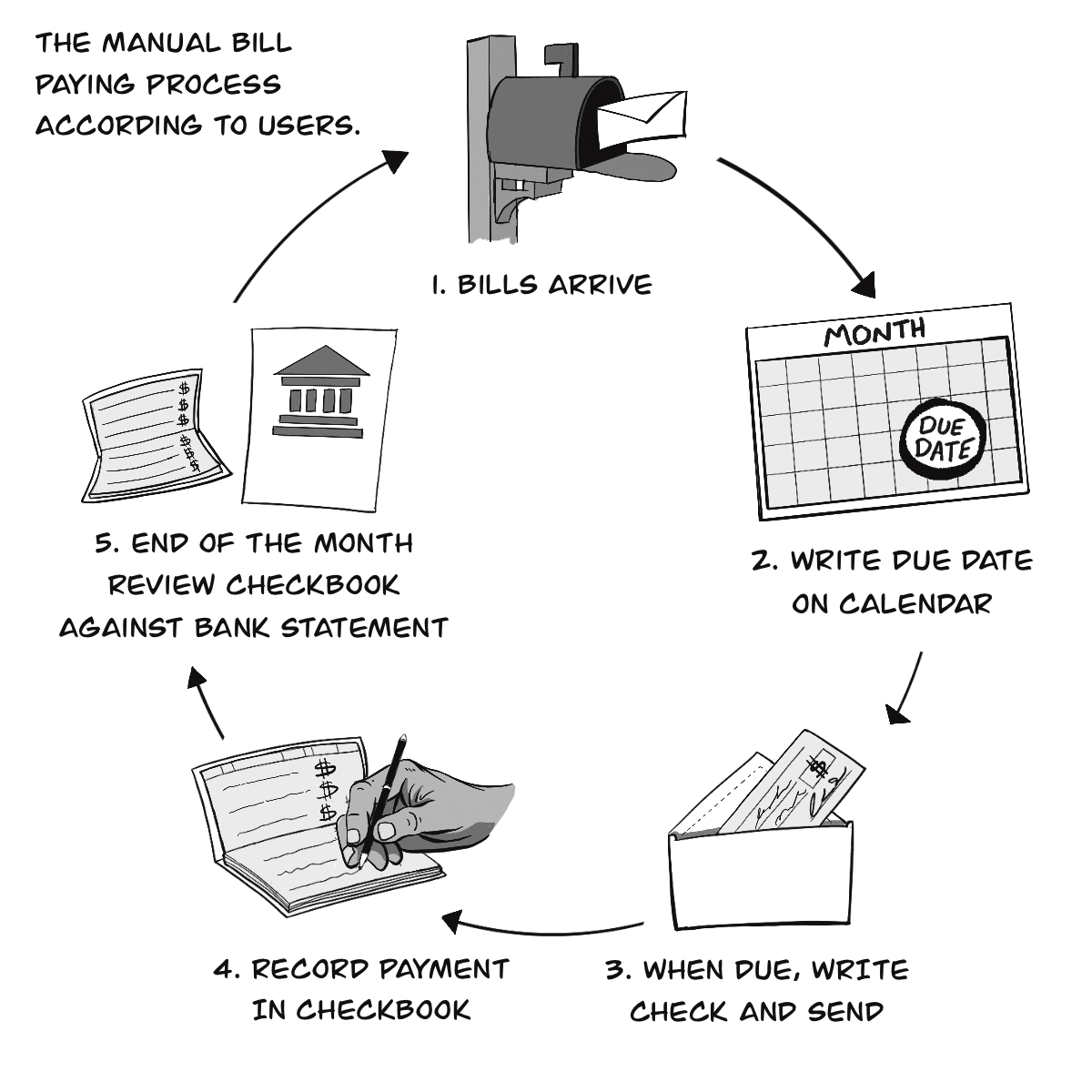
After interviewing participants via the phone and three in person visits, I documented and diagrammed a general pen-and-calendar flow older folks use keep track of their bill payments and due dates
This system is far from perfect. It is a timely process that is prone to errors. One participant lamented that, sometimes, they still pay their bills late, because there is no reminders from a paper calendar. Yet, another participant lamented they were hesitant at adopting technology for help because it does “too much in the background”. The lack of control makes them nervous.
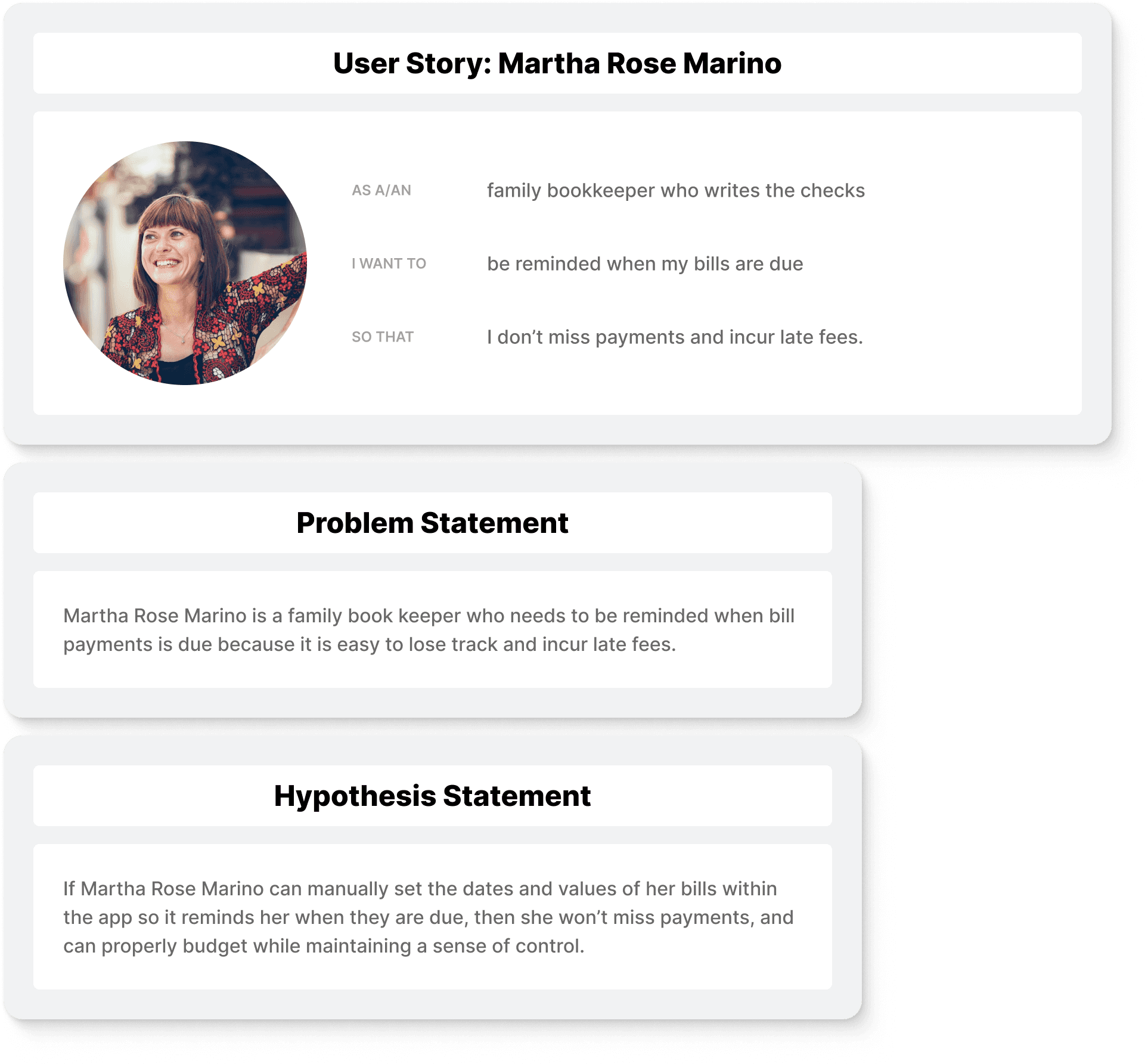
I created a user persona, user story, problem and hypothesis statements based on the accumulation of data.
Solution
SurePay
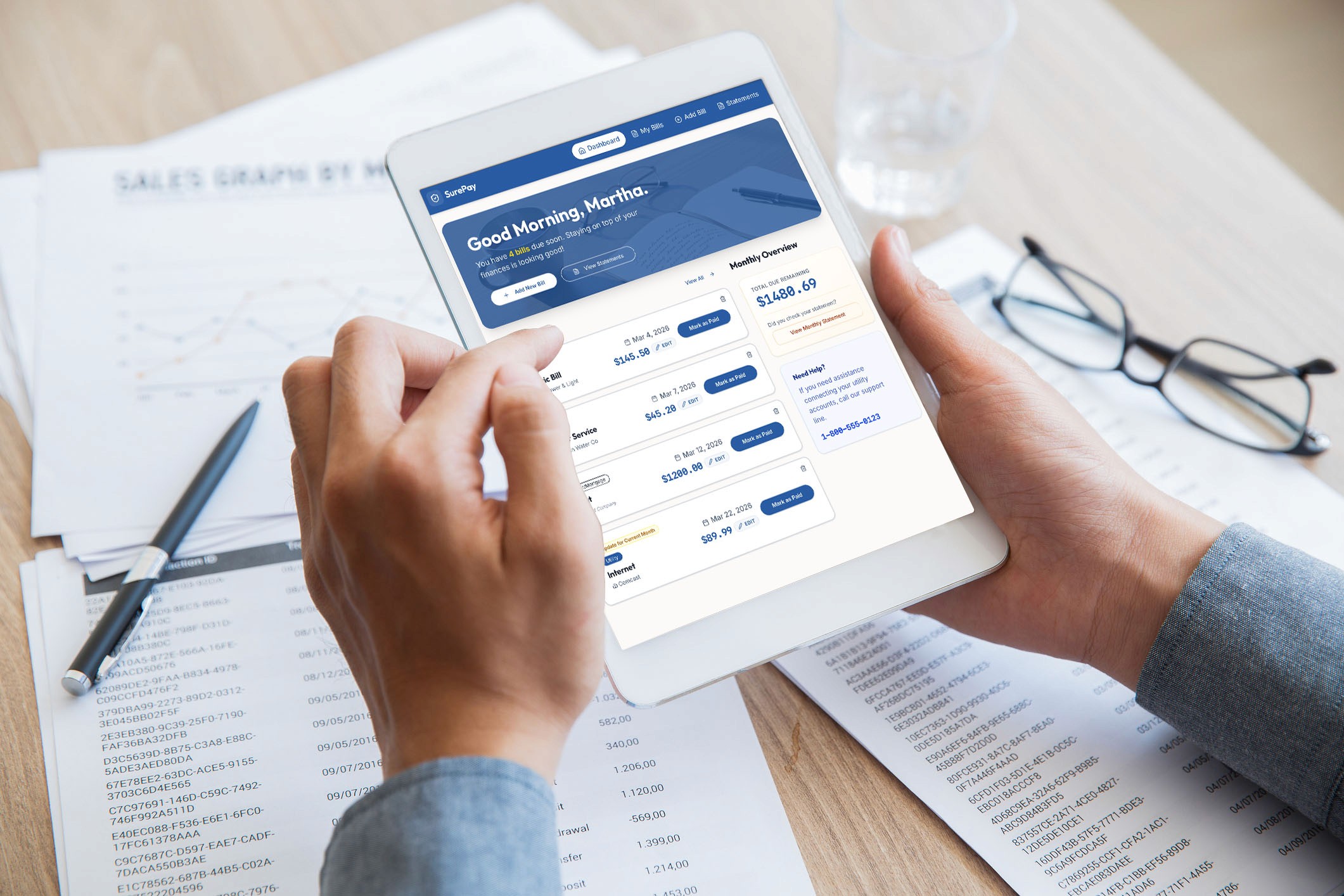
My solution was to make a bill organizing app specifically for seniors where entering manual information is prioritized. The app then arranges visually when a bill should be paid, and sends them several notifications on when the bill is due.
Why the manual input? Many budgeting apps on the market are already able to keep track of expenses, but this one is specifically catered to seniors who want to feel safe and maintain a sense of control. This means that users don't have to connect external bank accounts and utility bills, or give away information they would deem unnecessary. Th on-boarding is kept to a minimum to encourage adoption.
Rapid Prototyping with AI
After developing a color scheme and brand, I prompted Replit to create an interactive prototype. I was able to create it in a single afternoon.
The prototype below is 100% responsive, feel free to change the screen size to see how it would look on desktop, tablet and mobile.
Feedback
Improving on AI's Thinking
I was able to make quick iterations as I tested and used the product myself. Knowing you should use nothing out of the box, I found some initial flaws. What happens to the bill once you click "Paid"? How does someone know when they have to update their bills?
Easily enough, through Replit, making quick updates based on feedback was incredibly simple.